 Chris Azuma
Aug 20, 2026
6 min read
Chris Azuma
Aug 20, 2026
6 min read
Every scanner in your stack has the same limitation: they need something to scan. By the time SAST, DAST, or an SCA tool can tell you anything, the architecture is built, the decisions are made, and the expensive-to-fix flaws are already in production's path. The cheapest vulnerability to remediate is the one you catch in the design document.
That's what threat modeling is for, and it's why most teams don't do it. Done by hand, it takes a security architect, a whiteboard, and hours per feature. Few teams have that to spare for every design that ships.
DefectDojo now does the first pass for you. Threat Modeling, new in DefectDojo Pro and currently in Beta, turns a feature design into a reviewed threat model. These include the components and data flows the design describes, the threats against them, and the security requirements that mitigate those threats. It's Sensei's pre-code capability.
Where Sensei's scan-and-fix works on a repository that already exists, Threat Modeling works on the design before there is code to scan.
From design document to threat model
You supply the design in whatever form you have it. Paste a description, upload a design document (Markdown, plain text, or PDF), and optionally add an architecture diagram as a PNG, JPEG, WebP, or GIF. The diagram is read alongside the text, so a component that only appears in the picture still gets picked up. A short pasted summary plus a diagram often produces a better model than either alone.
NOTE: Nothing gets installed and no repo is connected. Threat Modeling reads only the design you supply.
Generation runs in the background through four stages:
- Extracting architecture: components, trust boundaries, data assets, and data flows.
- Enumerating threats: threats per STRIDE category.
- Writing security requirements: testable requirements, each tied to the threats it mitigates.
- Assembling results: the diagram and final consistency checks.
A run typically takes several minutes, and you can leave the page while it works.
What you get back
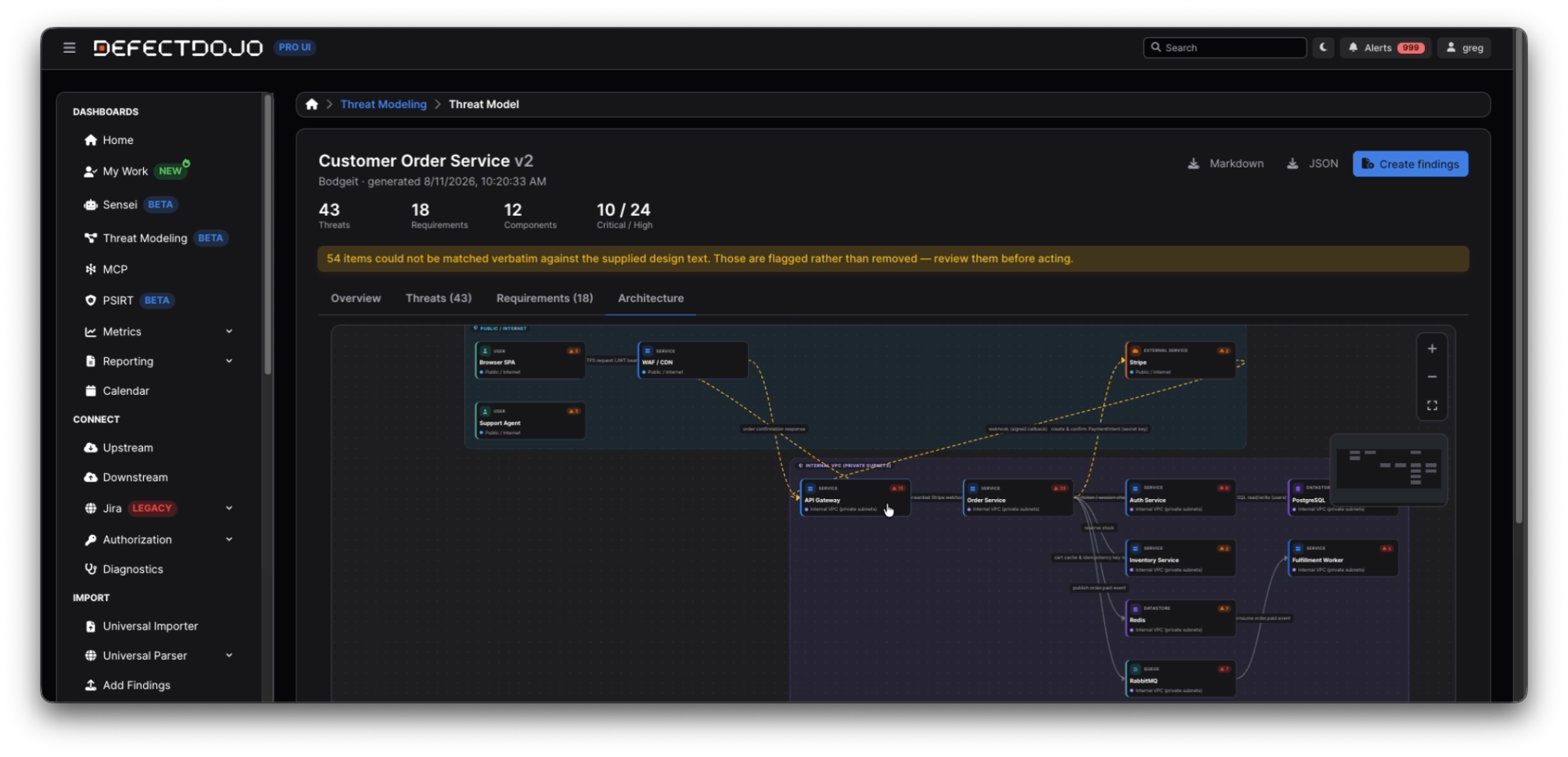
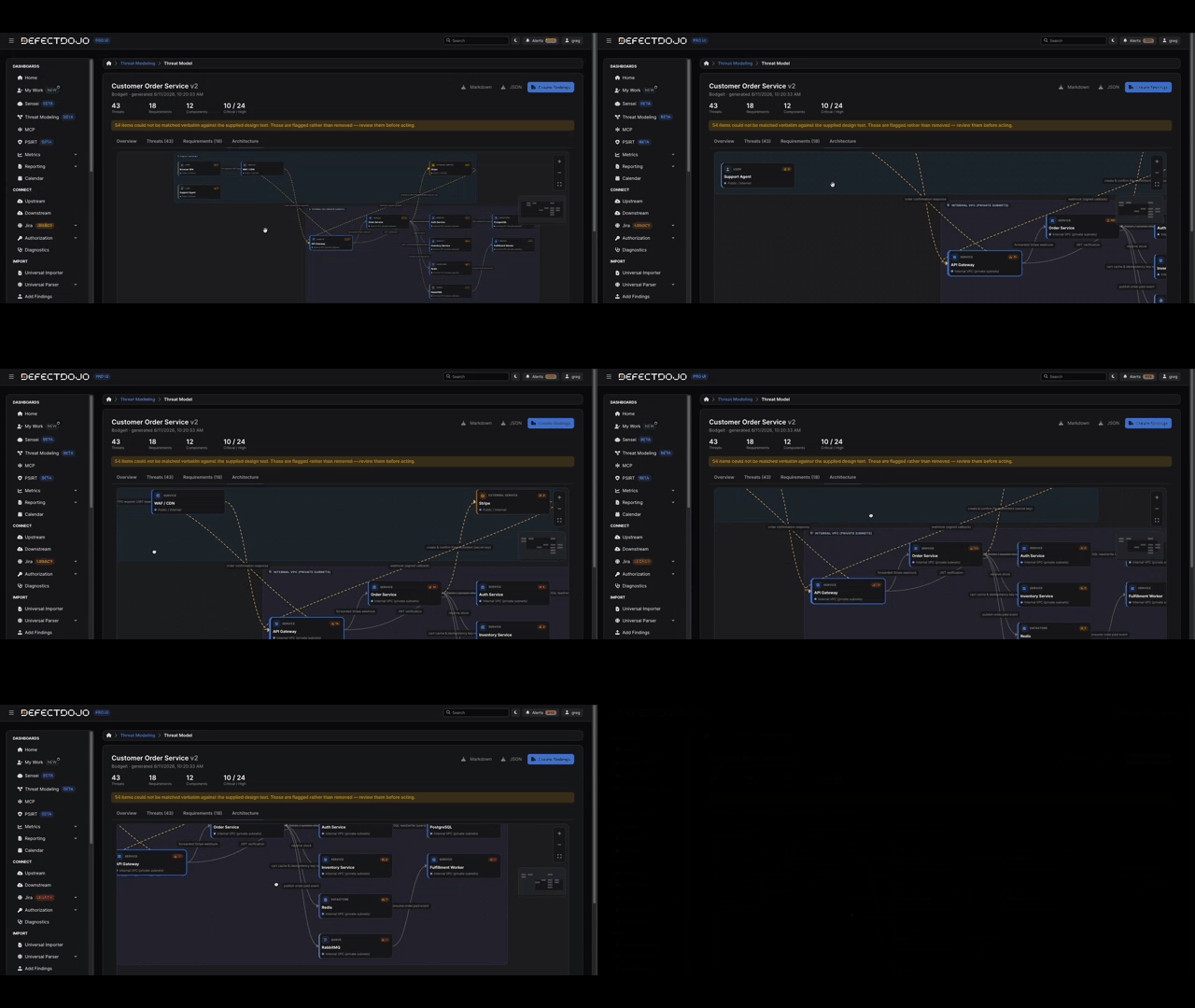
The Architecture tab renders the extracted design as a data-flow diagram: components grouped by trust boundary, flows labeled by protocol. Flows that cross a trust boundary are drawn differently, because those are the ones attackers care about. Select a component and then you will see the threats that target it.
The model also records what it could not determine: assumptions it had to make and points that were unclear in the design. Read those first. They tell you where the design itself is ambiguous, which is often the most useful output of the whole exercise.
Each threat carries its STRIDE category and severity, an attacker profile (external unauthenticated attacker, insider, supply-chain compromise) with the skill required, an ordered attack path with prerequisites, a CWE drawn from a fixed list rather than invented, and the components, flows, and data assets it targets.
Each security requirement is written as a testable statement with a verification step, a category (authentication, authorization, input validation, cryptography, and so on), and a priority. Every requirement names the threats it mitigates, and coverage is accounted for explicitly: a threat is either mitigated by at least one requirement or listed as a coverage gap. Gaps are shown rather than hidden, so a threat never gets silently dropped.
Evidence you can check, not output you have to trust
Threat models are generated by a large language model, and DefectDojo treats that fact honestly. Every component, threat, and requirement carries the evidence it came from, labeled by source: a verbatim quote matched against your design text, something read from the diagram, or an inference not stated in the design at all.
A quote that can't be matched against the supplied text is kept but flagged as unverified, with the claimed quote shown so you can judge it yourself. Items are flagged rather than removed, because a silently discarded threat is a risk nobody hears about.
Treat the output as a draft for review, not a finished artifact. The evidence labels exist so you can see which parts are grounded in what you wrote and which are inference.
Requirements become findings, findings become work
A threat model that lives in a wiki gets read once. This is where DefectDojo's approach differs: Push to findings creates one finding per requirement, in a dedicated engagement on that Asset, so design-stage security work flows through the same triage, SLA, Jira, and reporting machinery as every scanner finding you already manage.
Each finding carries the requirement statement, the full narrative of every threat it mitigates (STRIDE category, attacker, and the numbered attack path), the verification step as the mitigation, the severity and CWE, and tags identifying it as threat-model output. Findings are created active but not verified: a generated requirement is a proposal for a human to confirm.
Pushing is idempotent. Each requirement owns its finding, so pushing the same model again updates in place instead of creating duplicates. Edit a requirement and push again, and the finding follows.
Threat models are versioned per Asset. Regenerating from an updated design creates a new version rather than overwriting the old one, so you keep the history of what the design looked like when a decision was made. When you push a newer version, findings that no longer correspond to a current requirement are mitigated rather than left open, so the engagement always reflects the current design.
Need the model outside DefectDojo? Export it as Markdown for a design review or as JSON for anything programmatic.
What you need to run it
Threat Modeling ships under the same Sensei entitlement as scan-and-fix, with a feature flag that's on by default (a superuser can toggle it from the Feature Flags page). You'll need a global Maintainer or Owner role and an Asset to attach the model to.
Every generation, its status, and the stage it reached appear on the Activity tab; runs can be cancelled, failed runs show why they failed, and completed stages are checkpointed so a retry resumes instead of starting over. LLM usage is recorded per run alongside Sensei's other usage, so you can see what a model cost to produce.
Start with your next design doc
The best time to threat model a feature is before anyone writes it. Open Threat Modeling from the left-hand navigation in DefectDojo Pro, pick an Asset, and feed it the design doc sitting in your review queue right now.
Threat Modeling is in BETA and under active development, so expect it to keep improving between releases. If you're not on DefectDojo Pro yet, request a demo to see Sensei and Threat Modeling on your own designs.